
A2Z is an Eng Assist
Your work and your life — from A to Z
Record clients, payments and expenses in minutes and see your real net profit any time. Move what you need from profit to your personal space with a clear transfer system that never mixes the books.
- Works offline
- Arabic & English
- 14 days free, no card
- Typed data only — no documents
Why A2Z?
Numbers everywhere
A notebook here, a file there, chat messages… and you never know what you really collected.
Profit is unclear
Money comes in and out, and at month end you cannot tell if you made a profit.
Work and life blur
You take from profit for home and the books get lost. A2Z separates them with a clear transfer.
What you get
Work & clients
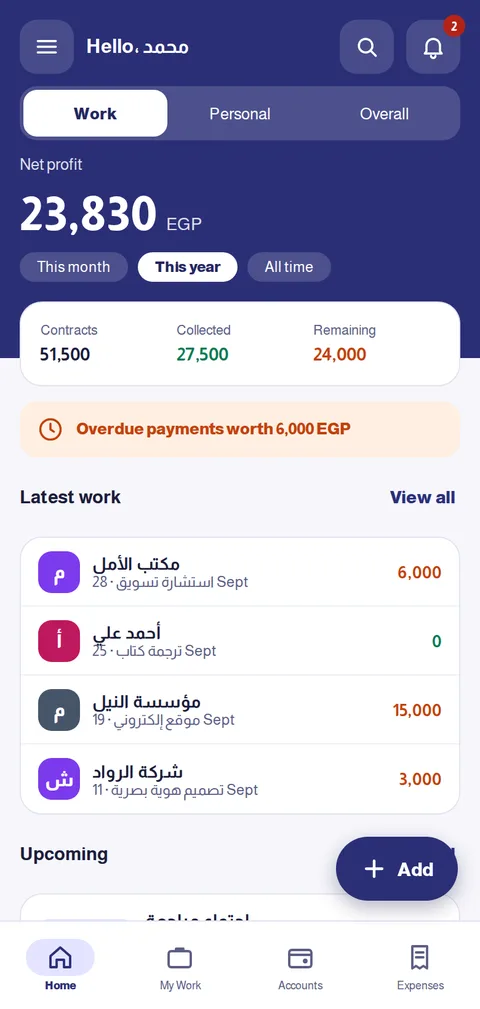
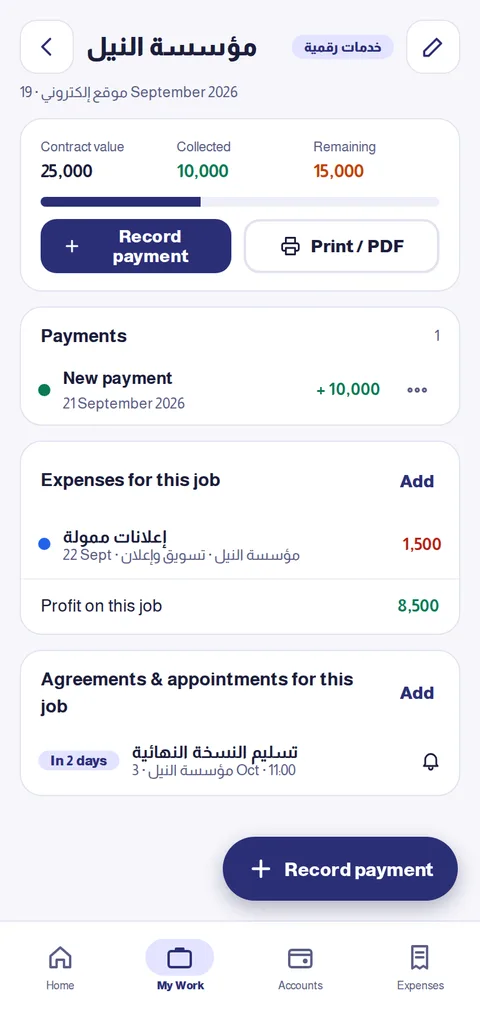
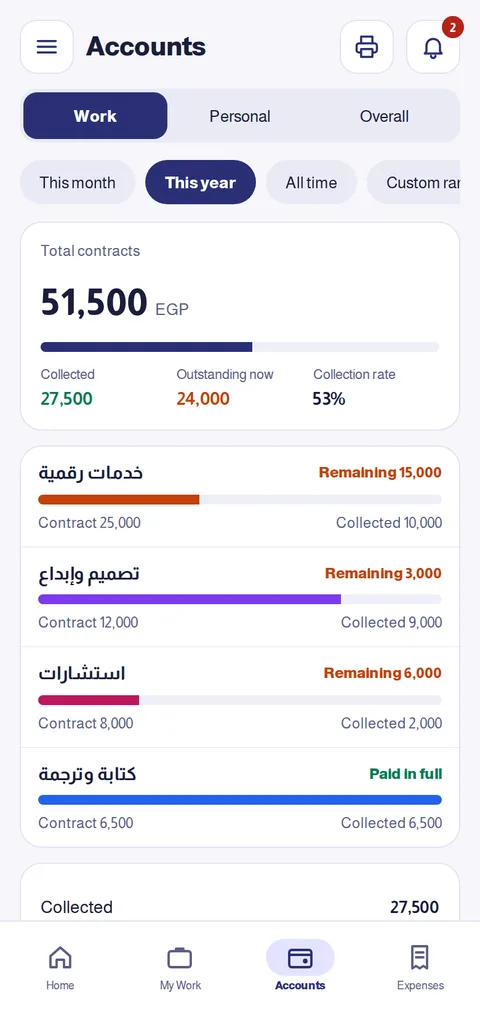
Record each job with value, date and category, and track collected and remaining per client.
Payments
Log what you receive payment by payment; A2Z calculates the remaining and collection rate.
Expenses
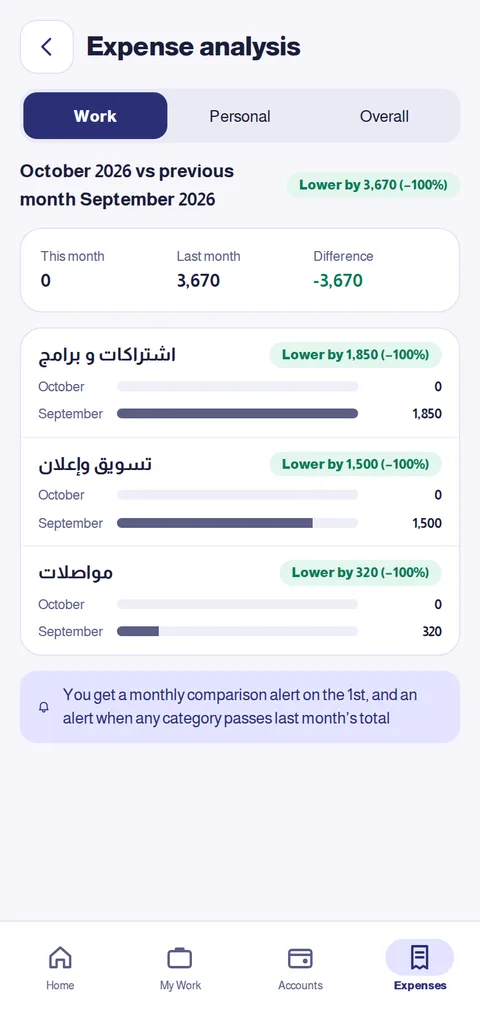
General or per-job expenses, with a monthly analysis comparing each item to last month.
Net profit
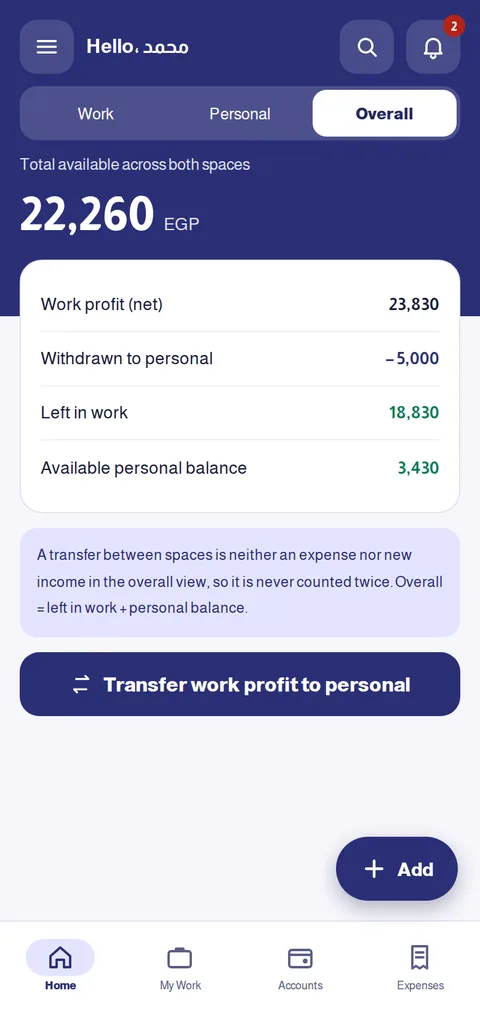
Collected minus expenses — clearly, for this month, year or all time.
Personal space
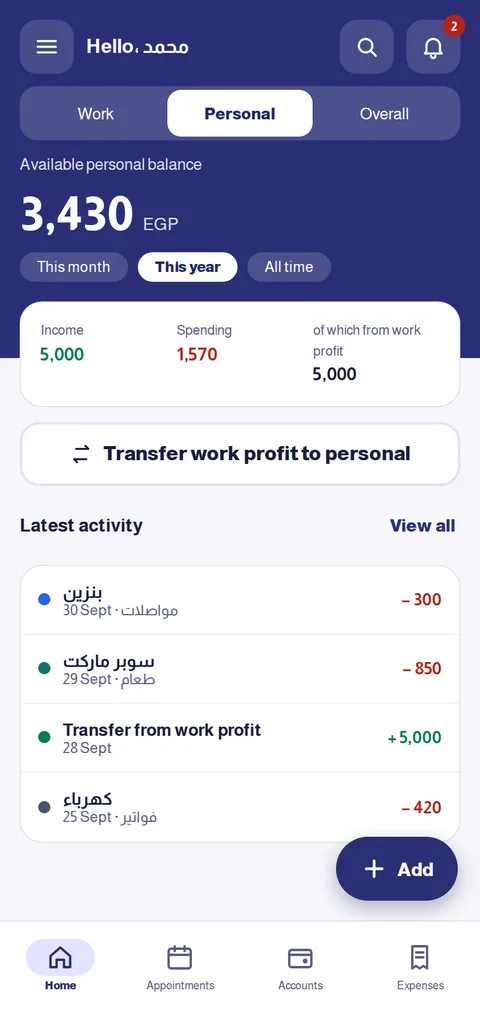
Personal income, expenses and appointments, plus a monthly budget with threshold alerts.
Transfer from profit
Withdraw from work profit to personal life, capped at what is truly available, without double counting.
Agreements & appointments
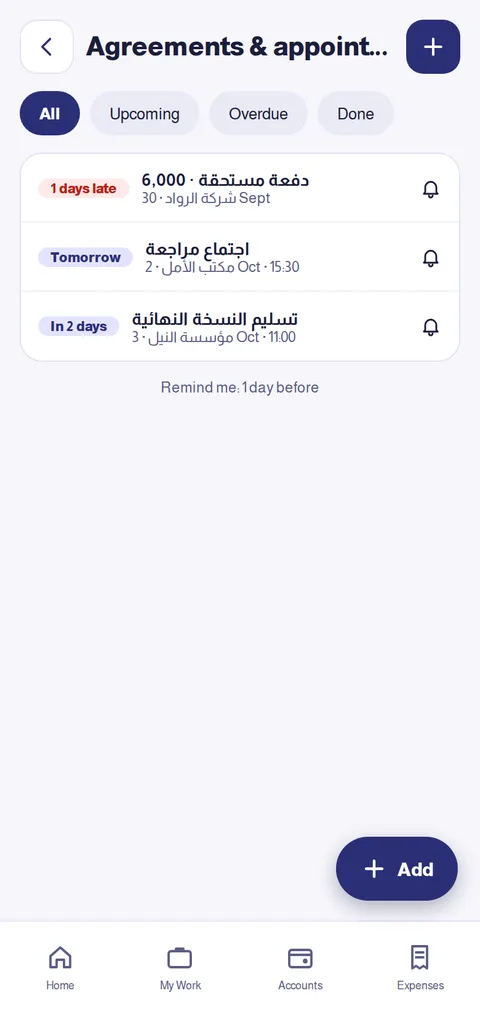
Inside each job: payment dates, deliveries and meetings, with reminders and a decision: attended / collected or postpone.
Smart alerts
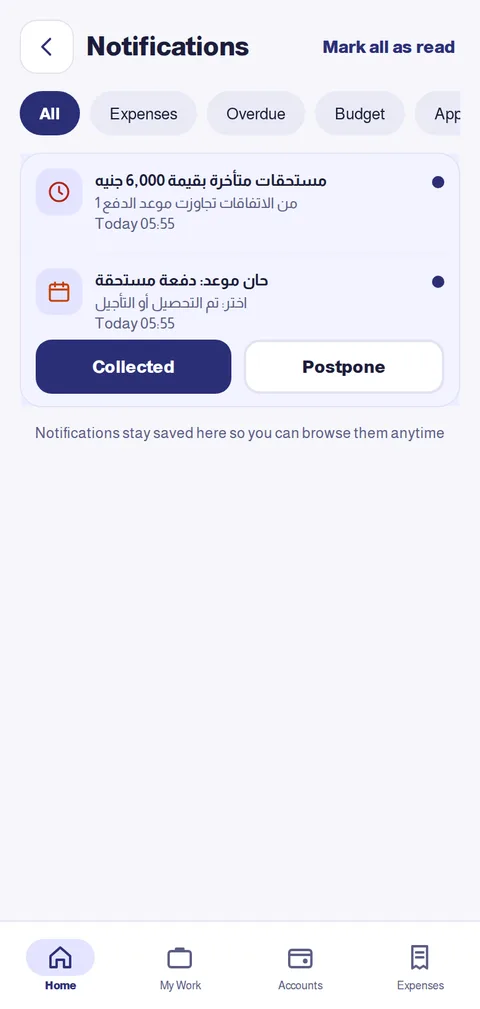
Overdue payments, budget threshold, unusual amounts — all in a notification centre you can browse anytime.
Reports & export
Financial summary and statements to print or PDF, and export all your data to Excel.
Biometric lock
Lock the app with fingerprint or device lock so your data stays yours.
Works offline
Record anywhere; data syncs between your phone and laptop when you are back online.
Easy edit & delete
Edit any entry in one tap, delete with instant undo.
Real screenshots from the app
These are screenshots of the app itself, with sample numbers.
Start in 3 steps
- 1
Create your account
Email and password, confirmed with a code sent to your inbox. 14-day trial, no card.
- 2
Pick your industry
We prepare ready categories that fit your work, or you start with your own.
- 3
Record and follow
Add jobs, payments and expenses from the “Add” button and read your numbers on Home.
Built for your industry
Pick your industry and see how A2Z serves you specifically.
One simple price
- 14-day full free trial, no bank card
- All features, no tiers, no job limits
- One phone + one computer per account
- After a subscription ends your data stays available to view and export
Frequently asked questions
Does it work offline?
Yes. Record, edit and browse without a connection; it syncs automatically when you are online again.
Do I need an app store?
No. Open the website on your phone or computer and add it to the home screen to use it like a normal app. Steps are inside the app under “Install the app”.
Where is my data stored? Are documents uploaded?
Only the data you type is stored, on Eng Assist servers so you can reach it from any device. The app does not ask for or store documents, images or files.
What happens after the trial?
The account becomes view-and-export only: you can see and export your data, but not add new entries until you subscribe.
Can I use it for more than one business?
Each account has one work space and one personal space. Clients and categories inside the work space organize different jobs.
How many devices?
One phone and one computer per account; signing in on a new device of the same type replaces the old one.
Do alerts reach me when the app is closed?
Yes. Turn on “Phone alerts” in Settings and you get appointment and overdue-payment alerts even when the app is closed. On iPhone, add the app to the Home Screen first (iOS 16.4 or later). All alerts are also kept in the in-app notification centre.